




Office of the Provost–Division of Faculty Success
Trinity Hall 106, 800 Greek Row Dr., Box 19128
The University of Texas at Arlington
Arlington, TX 76019
Phone: 817-272-7464 | Email: CRTLE@uta.edu
This page supports University of Texas at Arlington faculty who are beginning to explore artificial intelligence (AI) in teaching and learning. It is intentionally designed to be beginner‑friendly and low‑pressure, drawing on resources from the AI Course Redesign Institute, CRTLE‑curated materials, and campus‑wide AI guidance.
Before using AI tools, it is important to understand what generative AI can and cannot do. These resources emphasize conceptual understanding rather than technical mastery.
Core ideas:
UTA Generative AI Guidelines for Instruction (https://ai.uta.edu/generative-ai-guidelines-for-instruction/) — This campus‑approved guidance outlines how faculty can make transparent, ethical decisions about AI use. It addresses academic integrity, accessibility, data privacy, and communication with students, and is an essential starting point for aligning AI use with UTA expectations.
UTA Open Educational Resource (OER): AI‑Powered Education
UTA faculty have authored an open educational resource, AI‑Powered Education: Innovative Teaching Strategies to Elevate Student Learning, published through Mavs Open Press on the Pressbooks platform. This freely available book offers practical, classroom‑ready activities and examples for integrating AI into teaching across disciplines. Designed for instructors at any stage of AI adoption, it emphasizes adaptable strategies rather than technical expertise and can be reused or customized to fit specific course goals. The web‑based, accessible version of the book is available here: https://uta.pressbooks.pub/aipowerededucation/
AI Course Redesign Institute Slides and Recordings (August 7 and October 31, 2025) — These Institute materials introduce faculty‑relevant AI concepts such as prompt design, authenticity, workforce relevance, and ethical boundaries. They model a ‘start small’ approach and emphasize experimentation over surveillance. (Available in the AI Course Redesign Institute Teams folder.).
AI Essentials Modules (CRTLE) — These short, faculty‑focused modules build declarative knowledge about AI capabilities, limitations, and pedagogical implications. They are designed for busy instructors who want a clear, structured introduction without technical overload. To access this, click here to self-enroll: Self-enroll in the course now! For more about AI Essentials for Instructors, see: Introducing: AI Essentials for Instructors – Pedagogy NEXT: Faculty Voices about Teaching and Learning
Seeing how colleagues are thinking about AI can reduce uncertainty and provide practical framing from the CRTLE Webpage.
The August 7 and October 31 (2025) AI Course Redesign Institute discussions and Shared Files capture faculty conversations about student use of AI, authenticity, and preparation for the workplace. These materials highlight how instructors are reframing assignments and learning outcomes rather than focusing solely on detection or restriction.
Tip: If you do not see the AI Course Redesign Institute Team in your Teams list, check the “Hidden Teams” section or contact CRTLE (crtle@uta.edu) to request access.
CRTLE workshop materials such as *Pondering AI: Ethical Use of AI* provide examples of syllabus language, discussion prompts, and instructional framing that help faculty articulate expectations clearly and consistently.
Once you have foundational understanding, try a small, contained teaching practice. These ideas minimize risk while supporting learning.
Examples:
Pedagogy NEXT is UTA’s faculty‑focused teaching blog. The posts below provide reflective, practice‑oriented perspectives on AI that complement policy and training resources.
A recap of the CRTLE Pondering AI session, this post focuses on clarity, transparency, and assignment‑specific AI policies. It offers practical strategies for aligning AI use with learning goals while grounding decisions in UTA’s Generative AI Guidelines.
A detailed recap emphasizing key themes such as policy as a foundation, authentic assessment, and faculty work time for redesign. It provides a snapshot of how faculty are responding to AI in real course contexts.
This follow‑up recap highlights how faculty moved from policy discussions to concrete instructional changes, with examples tied to career readiness, ethical reasoning, and small‑scale experimentation.
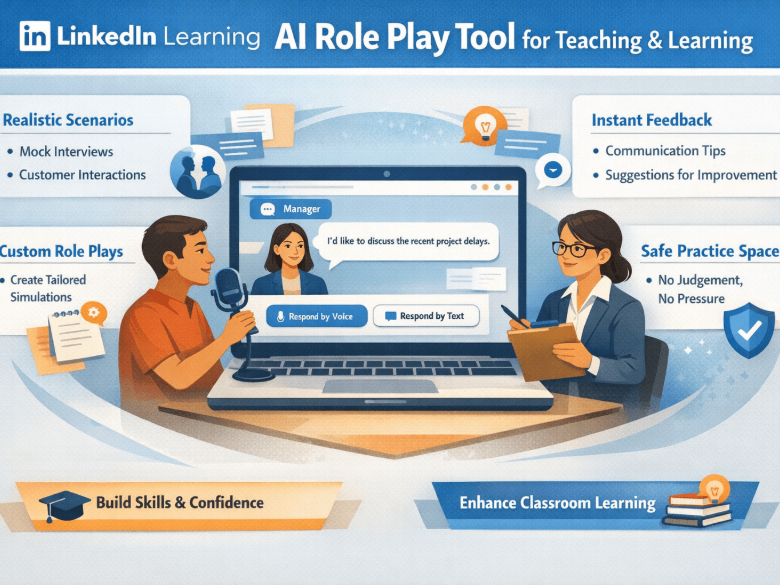
This post introduces AI Role Play in LinkedIn Learning as a low‑barrier way for faculty and students to practice professional communication in a safe, feedback‑rich environment.
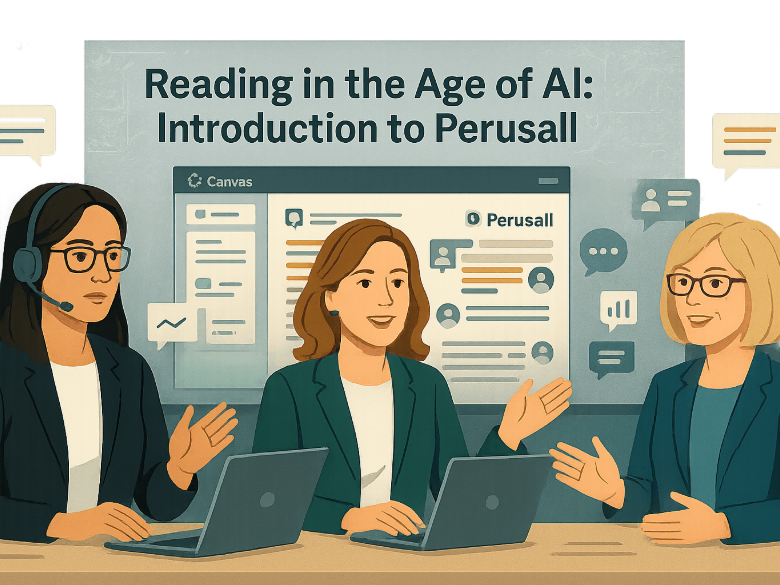
This recap explores how reading and annotation practices can be redesigned in response to AI‑driven summarization tools, emphasizing active reading, social annotation, and transparency.
A recap of a CRTLE webinar focused on building personalized AI learning pathways for faculty using UTA‑supported tools such as LinkedIn Learning, AI Essentials, and the UTA AI website.
This post summarizes sessions featuring George Veletsianos and Henrik Skaug Sætra, focusing on critical perspectives, future scenarios, and tensions in AI adoption rather than hype or fear.
AI tools and policies will continue to evolve. CRTLE encourages faculty to view AI learning as ongoing, collaborative, and grounded in teaching values.
Visit https://ai.uta.edu for campus‑wide AI initiatives, updates, and guidelines, and participate in future AI Course Redesign Institutes, CRTLE workshops, and Faculty Voices sessions.
Recommended Book: Teaching with AI (Second Edition)
The second edition of Teaching with AI: A Practical Guide to a New Era of Human Learning by José Antonio Bowen and C. Edward Watson expands on the original with updated guidance on assignments, simulations, role‑playing, customized bots, ethics, and academic integrity, all grounded in real classroom practice. Faculty can purchase the book directly from Johns Hopkins University Press and receive 30% off using the discount code HTAI25 via the publisher’s website.
Author visit (Teaching with AI) recordings:
UTA faculty can also view recordings from the Teaching with AI author visit hosted by CRTLE, including sessions on AI as essential learning and new assignment designs, available through the CRTLE Author Event page (UTA Login Credentials required).
UTA’s approach to AI in teaching emphasizes faculty agency, ethical practice, and community learning. If you are unsure where to start, begin with one resource, try one small change, and build from there.
Faculty who would like help refining AI syllabus language, aligning expectations with learning goals, or exploring assignment‑specific approaches to AI use are encouraged to contact the Center for Research on Teaching and Learning Excellence (CRTLE). CRTLE offers one‑on‑one teaching consultations, workshops, and AI‑focused resources to support faculty across disciplines. Learn more about available support or request a consultation through the CRTLE website: Center for Research on Teaching and Learning Excellence.